
Introduction
In today’s fast moving digital world , businesses usually want a smoother , kinda calmer way to talk with customers and also staff. Those regular printed posters can be kinda annoying because they need constant refreshes , they start to feel expensive to keep updated , and it gets kinda awkward to manage when you have several locations to cover. Plus the attention they grab is not always stable, sometimes it’s just , well, not really there. So basically, cloud digital signage software comes in, and it sort of changes how organizations display— and maintain their content.
Whether you’re running a retail shop , a restaurant , a corporate office , a healthcare facility , a school setup , or a hotel style business, cloud based digital signage helps teams push engaging material from almost anywhere. If there is internet access and a central control panel, updates can be done fast without anyone running around to each site.
As more companies keep leaning into digital transformation , cloud digital signage has turned into a true communication channel, not just a “nice to have”. In this guide, you’ll get a clear view on how cloud digital signage software works , what benefits you can expect, which must have features to check , and why so many teams are shifting over.
What Is Cloud Digital Signage Software?
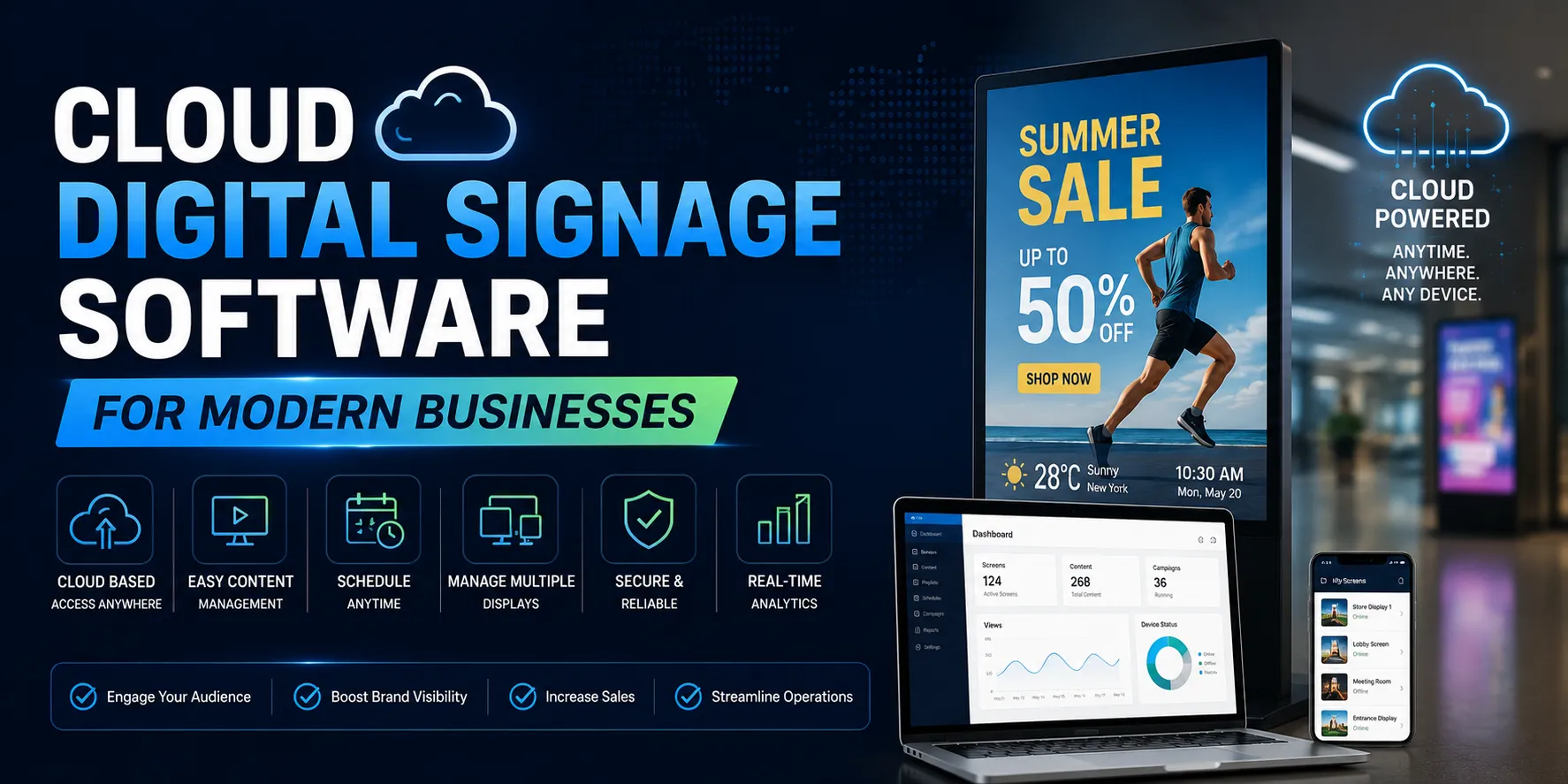
Cloud Digital Signage Software is basically a web based platform , where businesses manage digital displays remotely through the cloud. Instead of keeping content only on each screen like a local system , everything lives together in one online dashboard— media files , schedule rules, and edits / changes.
It also removes the old headache of swapping USB drives around. Meaning a company can manage hundreds , even thousands of screens, from one central place without the usual chaos.
Promotions , internal announcements, menus, video clips, dashboards , plus social media style feeds can be controlled with less friction too. With cloud software, content management often feels more coordinated, and it frequently takes less effort than older approaches.
How it works
The workflow is honestly kind of simple:
- Upload images, videos, PDFs, or web content
- Build playlists for different displays
- Set schedule rules using time and date
- Assign content to one or more screens
- Publish the changes through the cloud right away
As long as the display device can reach the internet, fresh content shows up automatically. No drama , no “wait until someone has time”, and not really extra hands required.
Why Businesses Are Choosing Cloud-Based Digital Signage
Most modern organizations want flexibility, scalability, and speed. Cloud tech tends to deliver that same mix, usually from one central location , which is why it keeps getting chosen more and more.
Traditional signage often needs updates that happen manually, but cloud software supports centralized oversight from almost anywhere. Some of the big advantages include:
- Remote content management
- Quick updates across multiple locations
- Lower ongoing maintenance costs
- Stronger customer engagement
- More consistent brand messaging
- Easier teamwork between marketing groups
For companies with multiple branches , cloud management cuts down day to day work a lot, because updates don’t depend on someone physically visiting a site.
Remote Management from Anywhere
One standout perk is remote control with barely any travel. Marketing teams can log into the dashboard from home, the office , or pretty much anywhere, then update offers , adjust campaign timing, or swap outdated content in a few clicks.
So you save on travel expenses too, and each screen is more likely to show the newest information, without waiting around.
Key Features to Look for in Cloud Digital Signage Software
Not every platform operates the same way. Picking the right one depends on what your business needs , not just what sounds great in a demo.
Here are the key things to review before you commit.
Easy Content Scheduling
Scheduling helps automate campaigns and keeps messages on track for the right timing. For instance:
- Breakfast menu in the morning
- Lunch specials during the afternoon
- Dinner promotions in the evening
That kind of automation saves time , and it keeps the right content on the screen when it matters most, not whenever someone remembers.
Multi-Screen Management
Many businesses use several displays across different zones. A strong cloud solution should let admins:
Group displays
- Manage multiple locations
- Send updates at the same time
- Create different playlists for each branch
With that kind of setup, adding locations later feels less stressful, and it stays way more organized.
Industries That Benefit from Cloud Digital Signage Software
Cloud digital signage is fairly adaptable , so it fits a bunch of different industries.
Retail Stores
Retail teams use digital signage for:
- Promoting sales
- Highlighting new arrivals
- Running product video segments
- Showing seasonal offers
Updating content regularly draws attention faster, and it often nudges people toward buying. It’s just more engaging than static signage.
Restaurants and Cafés
Restaurants often need menu and pricing changes more frequently than most people expect. Digital menu boards make quick edits possible without reprinting materials that eat time and money.
They also use screens for:
- Promoting combo meals
- Sharing limited time deals
- Showing customer reviews
- Reducing the “waiting” feeling
Corporate Offices
In corporate environments, digital screens are used for:
- Employee announcements
- Meeting room schedules
- Performance dashboards
- Internal messaging
- Company updates
That helps keep staff informed, while also improving workplace communication in a way that plain posters, honestly, just don’t match.
Benefits of Using Cloud Digital Signage
Cloud digital signage software isn’t only about that “modern” look on smooth screens , you know it’s got real perks too. It’s that sort of setup where the fun of installing stuff doesn’t end , because the content stays useful longer, not just for a day or two, kinda like it doesn’t fade out after the install excitement. Also, people react pretty quickly , not only because of what’s on screen , but because the backend is coordinating everything. Timing and delivery keep matching up while the system runs quietly in the background, pretty calm and steady.
A few of the more helpful advantages are :
Improved Customer Engagement
When your content changes , it pulls attention in a more natural, less pushy way than basic still posters. Then you bring in video, moving parts , or maybe a couple interactive moments , and customers tend to linger longer. The message lands with clearer meaning, not just “seen” for a second. Also, digital promos often get noticed more reliably than paper ads , so repeat sales can rise in a way that feels almost effortless.
Cost Savings Over Time
Sure, there’s usually a start-up cost, but everyday costs tend to level off after that first round. You’re not stuck paying for new print runs just because a promotion changes. Instead of swapping posters weekly, or monthly , your team uploads or pushes updated content through the cloud. Over time, these savings stack up, especially if you manage multiple sites , or run several screens from one shared control area.
Consistent Branding Across Locations
Keeping branding consistent isn’t only a “nice to have” when you cover different cities , or multiple regions. Cloud Digital Signage Software helps every screen follow the same visual rules, same campaign rhythm , and the same central theme. That means your marketing team stays in tighter control of what’s playing in real time, without relying on local staff to redo updates every single day. Even that small daily hassle, when it feels minor , quietly adds up.
Best Practices for Successful Digital Signage Deployment
Digital signage starts with setup, yeah basically the opening act. The real work is picking what you show, and placing it so it reads clean, and easy to follow. Strong content should loop smoothly, stay on-topic, and be planned around how your audience usually behaves through the day.
Here are some best practices worth trying
- Keep messages short , and readable enough to scan quickly.
- Use high quality images and videos.
- Stick to consistent branding across each screen.
- Schedule content based on customer behavior patterns.
- Refresh content on a steady cadence , don’t let it drift into “stale.”
- Monitor screen performance so small glitches don’t creep in.
- Use clear calls to action , not vague “please pay attention” requests.
Avoid cramming too much info into one view. A cleaner layout with smoother visual flow typically wins, rather than overloading one single frame.
Why eScreen.io Is a Smart Choice for Cloud Digital Signage
Picking the right platform matters nearly as much as the display hardware itself. eScreen.io offers a cloud based digital signage setup that’s made for simplicity, flexible operations, and scaling as your needs expand, yes.
With an easy dashboard, teams can run screens remotely, schedule content, build playlists, and push updates across many screens from one centralized control point. Whether you’re supporting one screen , or rolling out a full enterprise setup, eScreen.io keeps content management from feeling scattered, more organized, while also strengthening communication for customers and staff.
Because it’s cloud-first, it reduces how much manual swapping you have to do , cuts operating costs, and makes cloud digital signage feel realistic for smaller organizations, and it still works just as well for bigger teams too.
Conclusion
Cloud Digital Signage Software has turned into a go-to option for lots of modern organizations that want clearer communication, consistent branding, and stronger viewer engagement. With remote updates, scheduled automation, and centralized control across multiple locations, cloud platforms can make day to day work feel less chaotic , while still delivering visuals that really grab attention.
As more businesses push deeper into digital transformation, choosing the right platform can create long-term value and improve overall efficiency. Whether you’re running a retail floor, a restaurant, an office, a healthcare environment, or an educational institution, using a dependable cloud digital signage solution like eScreen.io can help you stay agile, reduce costs, and keep your messaging fresh , and genuinely effective.
FAQs
Cloud Digital Signage Software is a cloud-based platform that allows businesses to create, manage, schedule, and display digital content on screens remotely. It eliminates the need for manual updates by enabling centralized control from any internet-connected device.
Cloud digital signage is ideal for retail stores, restaurants, corporate offices, healthcare facilities, educational institutions, hotels, banks, and other businesses that need to share real-time information, promotions, or announcements across one or multiple locations.
Some of the key benefits include remote content management, real-time updates, reduced printing costs, improved customer engagement, consistent branding, and easy scalability for businesses with multiple locations.
Yes. Most Cloud Digital Signage Software solutions allow you to manage multiple screens and locations from a single centralized dashboard. You can schedule content, organize displays into groups, and publish updates to all screens simultaneously.
Reputable cloud digital signage providers use secure cloud infrastructure, encrypted data transmission, user access controls, and regular software updates to help protect your content and business information.
When selecting a platform, consider factors such as ease of use, remote management capabilities, content scheduling, device compatibility, security, scalability, customer support, and pricing. Choosing a reliable solution like eScreen.io can help ensure long-term value and efficient digital signage management.